
The Ultimate Adobe Photoshop Masterclass Course
Are you struggling to learn Photoshop on your own? This course will teach you how to use Photoshop professionally. You will be able to add Photoshop ...
Elite Certification
Earn a verified industry certificate recognized by top technology companies worldwide.
Lifetime Access
Update forever
Multi-Device
Sync progress
What you'll learn
Curriculum
6 ModulesExpert Instruction
Heydar Jama
The Ultimate Adobe Photoshop Masterclass Course
Are you struggling to learn Photoshop on your own? This course will teach you how to use Photoshop professionally. You will be able to add Photoshop as a skill to your CV & start ...
What you'll learn
Build a strong foundation in Photoshop tools and techniques.
Remove unwanted people, objects, and elements from photos.
Customize Photoshop’s workspace and settings to match your workflow.
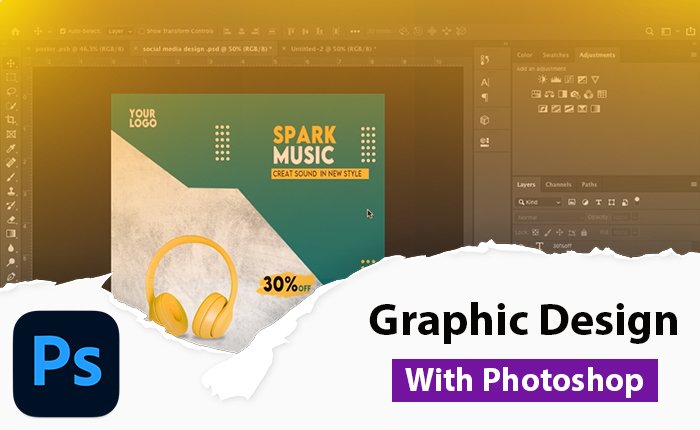
Learn graphic design, photo editing, and photo retouching using Photoshop.
Change and adjust colors in images.
Master selections, layers, and working with the layers panel.
Course content
-
play_circle First Time Opening Photoshop
-
play_circle photoshop Interface
-
play_circle How to Control and Manage Layers in Photoshop
-
play_circle Clarifying Some Photoshop Shortcuts
-
play_circle How to Arrange Layers in the Layers Panel
-
play_circle Everything About the Layers Panel
-
play_circle Basic Tools in the Layers Panel
-
play_circle Adjustment Layers and Effect Layers
-
play_circle Layer Masks and Clipping Masks
-
play_circle Alignment Options in Photoshop
-
play_circle Welcome to Section 3
-
play_circle How to Use Smart Filters in Photoshop
-
play_circle How to Use the Clone and Healing Tools
-
play_circle How to Combine Photos in Photoshop
-
play_circle Solving the Section 3 Exercise
-
play_circle Welcome to Section 4
-
play_circle How to Use the Object Selection Tool
-
play_circle Lasso, Polygonal Lasso, and Magnetic Lasso Tools
-
play_circle Quick Selection, Magic Wand, and Select & Mask Tools
-
play_circle How to Use the Pen Tool
-
play_circle Homework Walkthrough and Overview
-
play_circle Solving the Section 4 Homework
-
play_circle Welcome to Section 5
-
play_circle Shape Tool and Shape Properties
-
play_circle Polygon and Other Shape Tools
-
play_circle Advanced Techniques for Using the Pen Tool
-
play_circle Text Tool and Text Properties
-
play_circle Designing a Doctor Poster
-
play_circle Designing a Doctor Poster: Part 2
-
play_circle Creating Social Media Designs: Part 2
Description
This course will teach you how to use Photoshop professionally. You will be able to add Photoshop as a skill to your CV & start getting paid.
In this course, I will teach you everything you need to know about getting started with Photoshop. You will learn how to use Photoshop for Graphic Design, Transformations, Creatives & for Photoshop Retouching. You will create lots of your own projects that you can add to your own portfolio to help your employment.
This course is for absolute beginners, you do not need any previous knowledge of Photoshop, photography or design. We will start right at the beginning and work step by step to the professional level.
You will learn the Photoshop ‘secret sauce’ whereby we will magically enhance our background and when necessary completely remove people from images.
They are exercise files available for download, practice, and follow-along.
They are lots of assignments provided to practice the newer learnt skills.
If you have never opened Photoshop before or you have already opened Photoshop and still struggling with the basics, follow me and together we will learn how to make beautiful images using Photoshop.
The most important thing about this course: it’s the foundation of any designer.
After you finish it, you can decide if you want to specialize in: web design, app design, graphic design, retouching, photo manipulation, and so on. You’ll have a lot of possibilities, it’s up to you to choose what you like the most.
What you’ll be learning
You will be able to start earning money from your Photoshop Skills.
You will be able to add Photoshop to your CV
You will create graphics from scratch.
Designing posters.
Change the color or images.
You will retouch photographs like a professional.
Design business cards.
Design Letterhead.
Master selections, layers, and working with the layers panel.
Remove people or objects from photos.
Customize the program to best suit you.
You’ll learn how to save your Photoshop projects for print and web.
You’ll HAVE FUN learning and using Photoshop!
You’ll learn graphic design, photo editing & photo retouching in Photoshop!
Instructor
Heydar Jama
This course includes:
- ondemand_video 0h 0m on-demand video
- all_inclusive Full lifetime access
- devices Access on mobile and TV
- emoji_events Certificate of completion